
Everything starts on Harold's PointClickCare record: his payer on the ADT history, his Medicare Beneficiary Identifier on the chart.
The business office already maintains these facts. Nobody at the monitoring desk should have to re-type them.
 ·Coverage · Payers
Harold Jensen
Room 214-B · Maple Grove · Dr. Patel
Harold's chart facts
Medicare A
on the chart, maintained by the business office
How it works
What happens
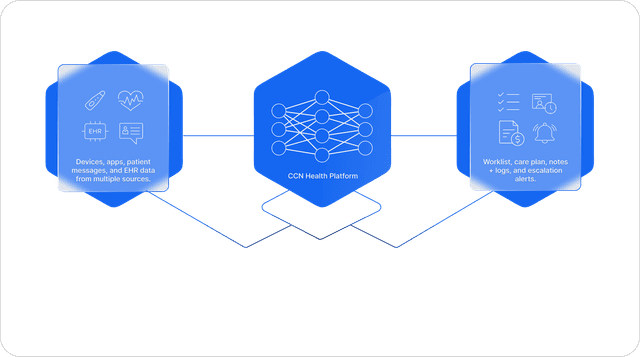
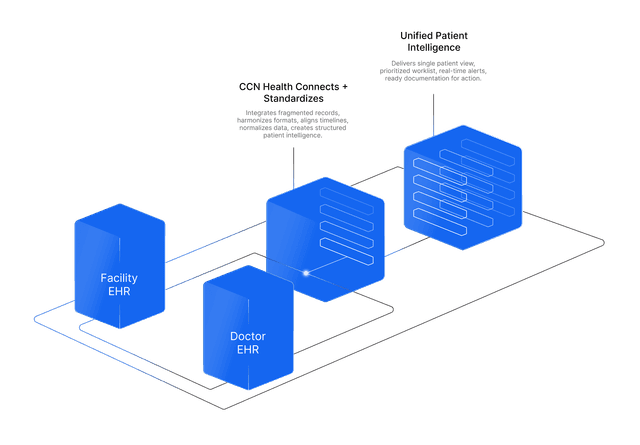
The business office maintains coverage in PointClickCare like it always has. CCN pulls the facts off the chart, the primary payer with its effective date and the Medicare beneficiary identifier, and writes them onto the resident as statuses: a chip named after the payer itself, and a Has beneficiary chip that carries the ID. Those chips show under the resident's name on the patient list, and the team filters the whole building by them: the Medicare A residents, everyone with a beneficiary ID on file, everyone except a given payer. When coverage changes, the chip becomes the new payer's name on its own, and the prior payer with both effective dates stays on the record.
How it works
PointClickCare fires a webhook on every admit, readmit, transfer, and resident-info update. CCN's sync reads the Medicare beneficiary identifier from the patient record and the two most recent payers, with effective dates, from the active ADT records, then creates or updates the resident's statuses idempotently, removing a status on its own if the underlying coverage disappears. Statuses drive the tri-state Quick Filters on the patient list and the billing screens, and the beneficiary ID, primary payer, effective dates, and previous payer export in the billing CSV beside the CPT columns.
The benefit to your practice
Filtering a building by payer is how billing questions actually get worked: who is Medicare, who changed plans, who has an ID on file. CCN turns chart facts into labels your team can act on without anyone re-keying or re-checking, and the same machine extends to whatever facts your operation runs on. If it lives on the chart, it can be a filter.
What you get
- Chart information is pulled automatically and written as CCN statuses on the patient
- The built-in pair: a chip named after the primary payer, and a Has beneficiary chip carrying the Medicare ID
- Statuses power Quick Filters, include or exclude, on the patient list and every billing screen
- Prior payer and both coverage effective dates stay on the record; payer and beneficiary ID flow into the billing CSV
- The machine is general: tell us which chart facts matter and we wire them into labels and filters