One phone.
Your whole census.
A caregiver rounds room to room with a single phone and one shared Bluetooth device — and an entire building stays monitored. No kit for every resident, no expensive cart, and readings that keep working even when the WiFi doesn't.
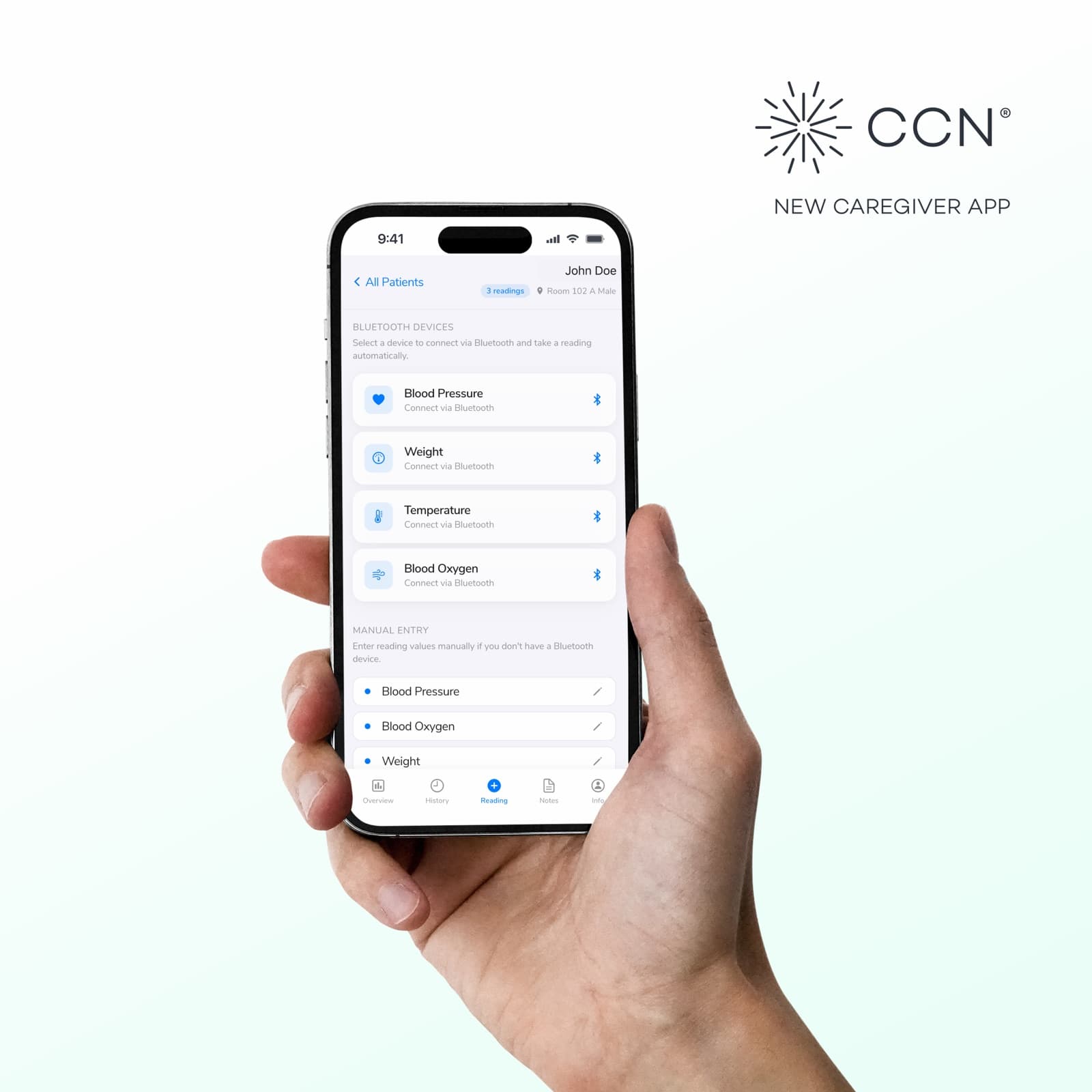
You don't have to buy everyone a device.
Most remote monitoring programs assume a gateway and a kit in every resident's room, or a wheeled cart that costs thousands. Plenty of our groups skip all of that. They put the CCN Caregiver App in a caregiver's pocket, share one Bluetooth cuff and scale across the floor, and capture every reading on rounds. It's the lightest, most affordable way to start monitoring — and the fastest to roll out.
Skip the per-resident kits
One shared cuff, scale, thermometer, and oximeter cover a whole hallway. No gateway in every room, no hardware budget that scales with your census.
No expensive cart
The phone already in a caregiver's pocket is the cart. Walk room to room, take the reading, move on — nothing to wheel, charge, or store.
Works when WiFi doesn't
Readings pair directly to the phone over Bluetooth, and manual entry is always one tap away. Spotty hallways and dead zones never block a vital.
A favorite of teams that monitor many residents with one set of hands.
The shared-device workflow fits the way congregate care actually works — one caregiver, a floor of residents, and a schedule to keep. Run several communities? A single login switches between all of your facilities, with every patient and their information in reach. If buying and managing a device per resident feels like overkill, this is the model for you.
- Assisted living
- Senior living
- Memory care
- Skilled nursing
- Group homes
- Home health
Every vital, straight from the app.
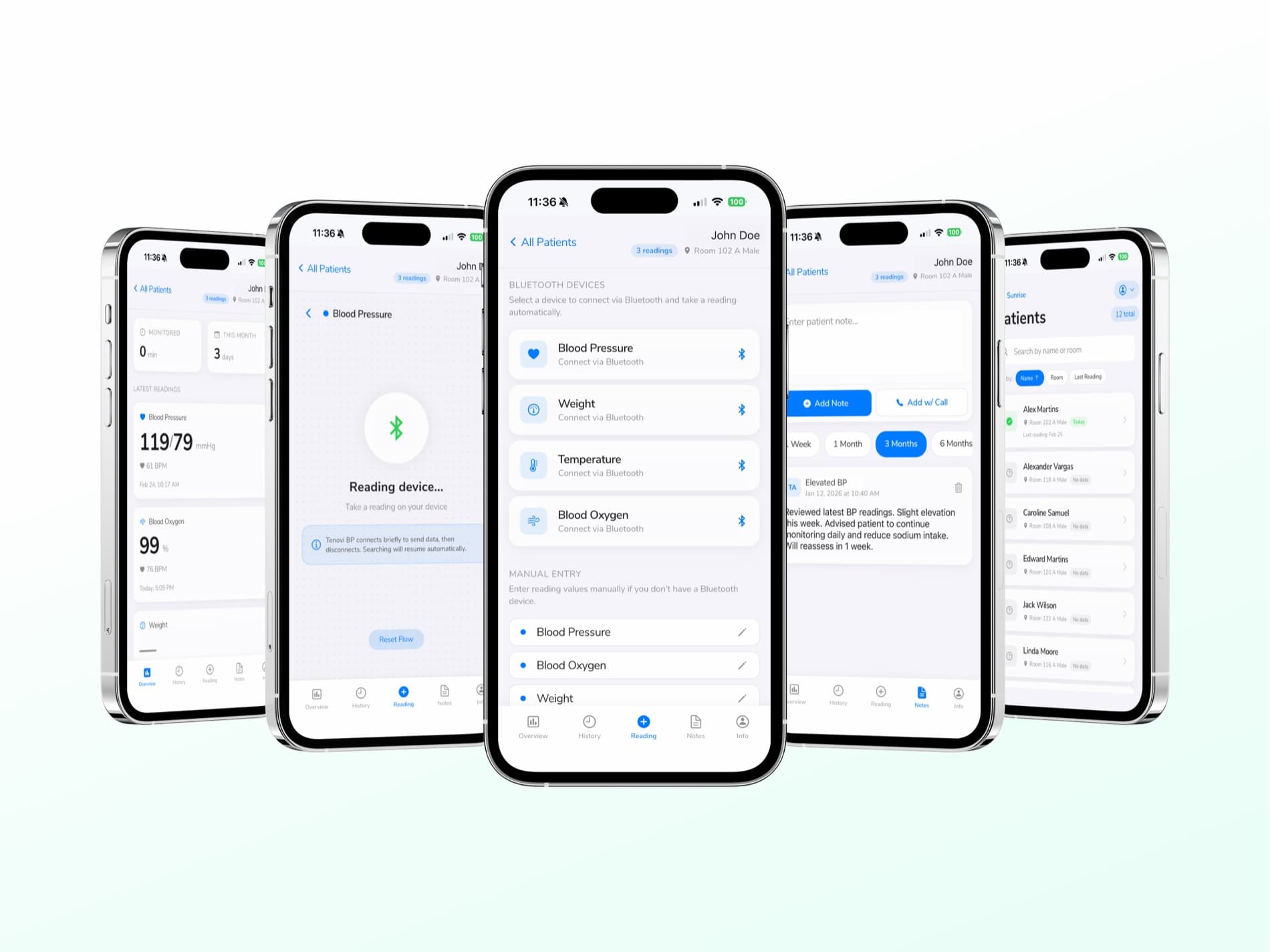
A caregiver takes the reading on the device, taps Submit, and the value lands in the resident's record — or types it in by hand when that's easier. Five things to capture, one simple flow.

Works with the Tenovi devices you already use.
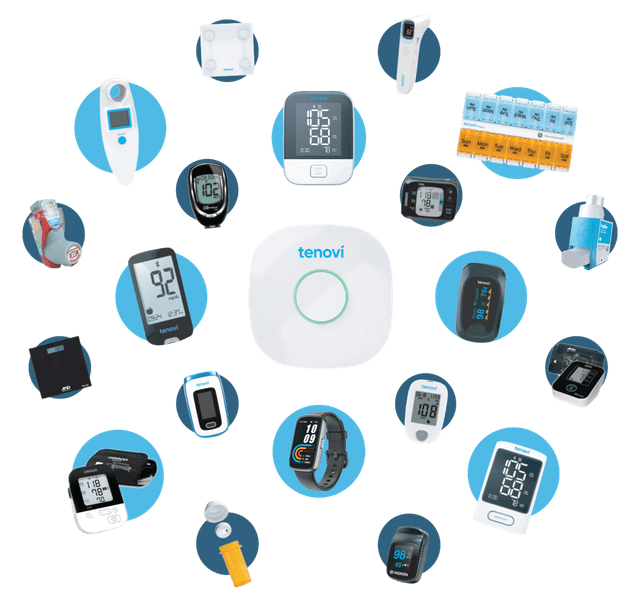
The Tenovi blood pressure cuff, scale, thermometer, and pulse oximeter pair to the app over Bluetooth — connect, take the reading, and it's recorded automatically. The pairing screen even includes Tenovi-specific guidance so caregivers are never guessing.
Simple enough to hand to anyone on your team.
Every patient record follows the same five-tab structure — Overview, History, Reading, Notes, and Info — so the workflow is the same for the first resident and the fiftieth.
Every building, every resident — from one login.
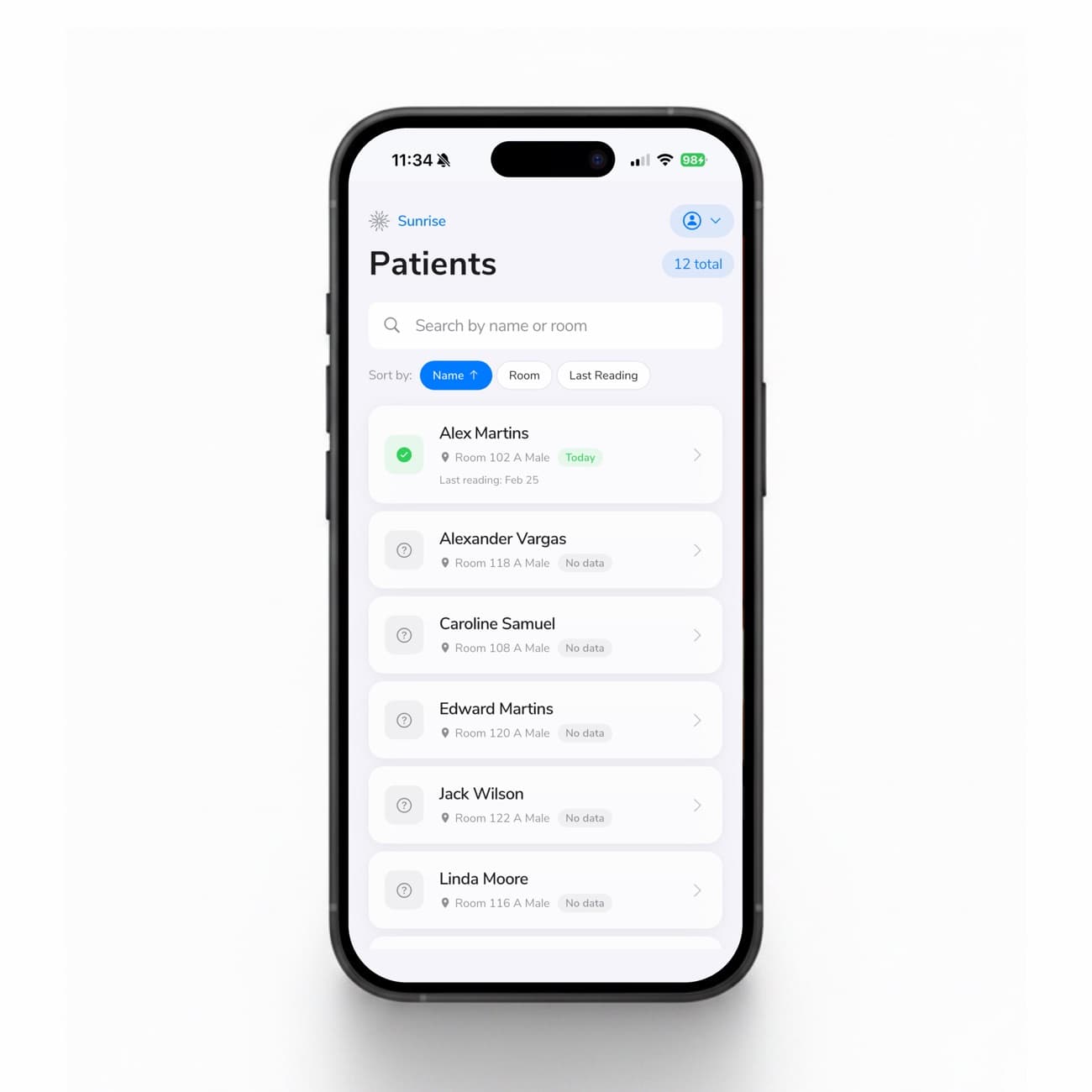
The Patients tab opens to your whole census. Search by name or room, sort by Name, Room, or Last Reading, and see at a glance who's been monitored today and who still needs a visit.
Manage more than one community? Tap the facility name at the top to switch between every building you run. One login gives a caregiver access to all of their facilities and every patient — vitals, history, and notes included — without signing in and out.
- Switch facilities — move between all of your buildings from a single login, no re-authentication.
- Full patient access — every resident and their complete information — readings, history, and notes — in one place.
- Search & sort — find anyone by name or room; order by Name, Room, or Last Reading to plan a round.
- Status at a glance — a green check for residents read today, a clear marker for those without data.
Everything that matters, on the first screen.
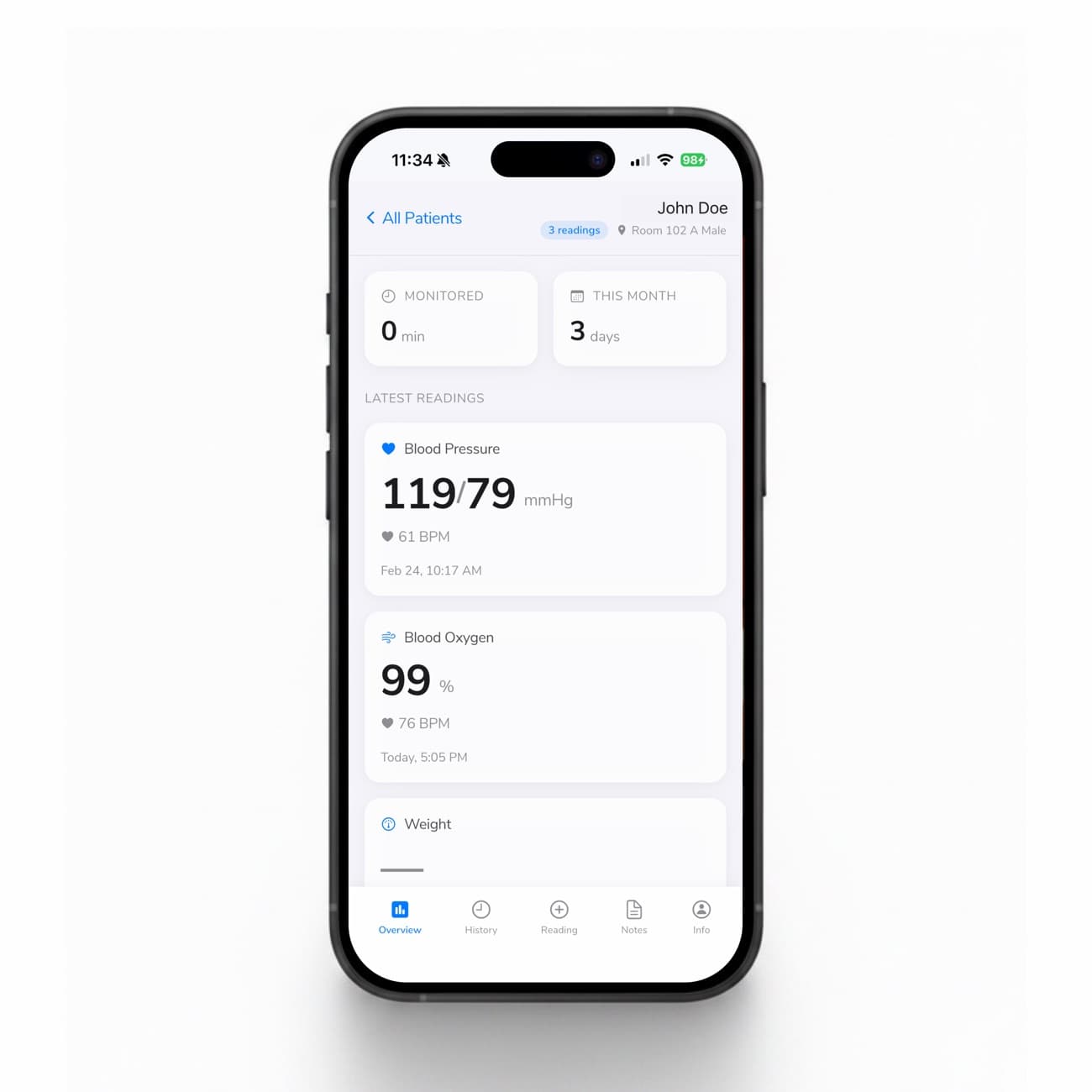
Tapping a resident opens the Overview: monitored minutes and days this month up top, then the latest reading for each metric — blood pressure with pulse, blood oxygen with pulse, and weight — each time-stamped.
No drilling, no extra navigation. The information a caregiver needs is the first thing they see.
- Monitoring summary — total monitored time and active days for the month, for billing peace of mind.
- Latest readings — blood pressure, blood oxygen, and weight with timestamps.
- Patient header — name, room, sex, and reading count, shown on every tab.
Two ways to take a vital — and a backup for both.
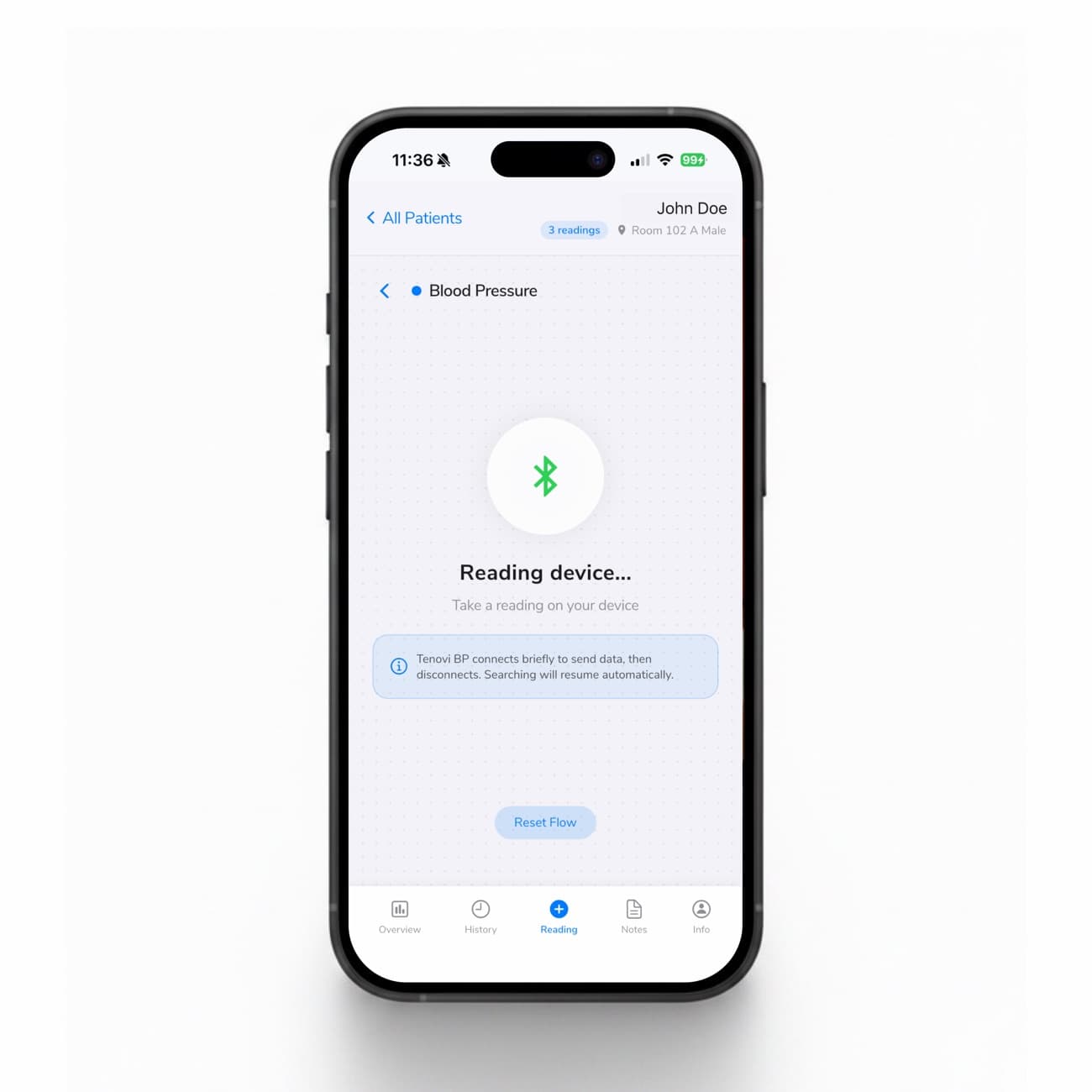
Pair a Bluetooth cuff, scale, thermometer, or oximeter and the app finds it in seconds. Take the reading on the device, tap Submit, get a confirmation — done. No Bluetooth device handy? Manual Entry records to the exact same place.
This is what makes it resilient: the pairing screen gives device-specific guidance, and if a connection drops, a Reset Flow gets you moving again. Connectivity problems never strand a reading.
- Bluetooth pairing — blood pressure, weight, temperature, and blood oxygen, usually connected in seconds.
- Manual entry — a one-tap fallback that lands in the same record — perfect for dead zones.
- Error recovery — in-context guidance and a Reset Flow when a device won't cooperate.
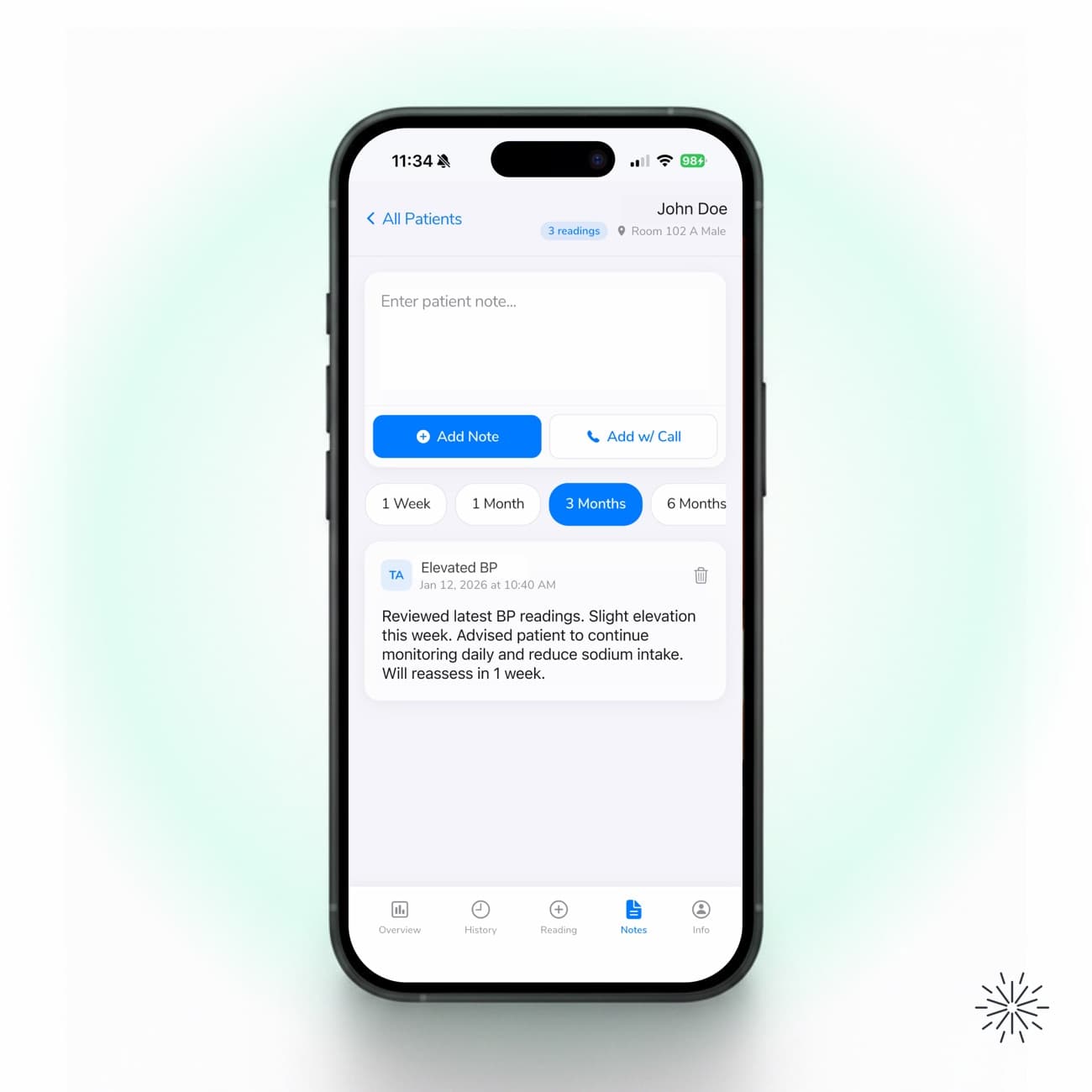
A structured notes log.
The Notes tab keeps a running record per resident. Add Note for a standard entry, or Add w/ Call to mark that a patient was reached by phone — the log tells the two apart.
Every entry stamps the author's initials and the time, and the log filters to 1 Week, 1 Month, 3 Months, or 6 Months.
- Notes & call notes — the same field, recorded as distinct types for a clean phone-contact record.
- Time filters — 1 Week, 1 Month, 3 Months, or 6 Months.
- Audit trail — author initials and timestamps on every entry.
Want patients to see their own vitals? They can.
The app isn't just for your team. When you want them to, residents can follow their own blood pressure, oxygen, and weight over time — and invite a family member to keep an eye on things from anywhere. It turns monitoring into something patients and loved ones feel part of, not just a chart in the back office.
You decide — access is opt-in and set per patient.
Patients see their readings
A simple, friendly view of their own vitals and trends — right on the phone they already use.
Share with family
Invite a son, daughter, or caregiver to follow along, so loved ones stay in the loop without a phone call.
Peace of mind
Seeing the numbers improve builds trust and keeps residents engaged in their own care.
Private by default
Nothing is shared unless you turn it on. Enable access one patient at a time, and revoke it any time.
Five tabs,
one patient record.
Overview, History, Reading, Notes, and Info — the same structure for every resident, on the platform your caregivers already carry. Free to download on iOS and Android.