Everything about Harold already lives on his PointClickCare chart. That is where it should live.
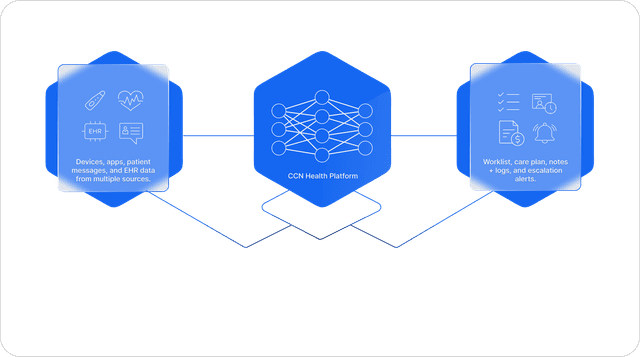
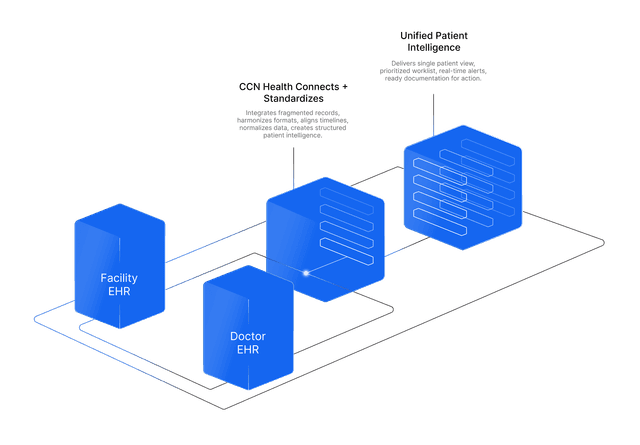
CCN reads the chart where it lives instead of copying it, so there is never a second version to reconcile.
 ·Resident Chart
Harold Jensen
Room 214-B · Maple Grove · Dr. Patel
Harold's context
1 chart
on the resident chart
What the chart holds
How it works
What happens
CCN pulls the surrounding clinical picture, not just vitals. A dedicated PointClickCare resident view lives inside CCN: demographics, room, primary payer, and conditions, with medications and the ADT history, right where the monitoring work happens. A nurse reviewing an alert sees what the resident takes and what they have, without opening a second system.
How it works
Alongside the census and observation sync, CCN reads the resident's medications (GET .../medications), conditions and diagnoses (GET .../conditions), insurance coverages (GET .../coverages), and ADT records (GET .../adt-records) from the Partner API, and keeps them refreshed on the CCN record. The data renders as a read-only PointClickCare panel on the resident, clearly sourced, never re-typed.
The benefit to your practice
Clinical context stops being a tab-switch away. Alert triage, care calls, and documentation all happen with the resident's real medication list and condition list in view, which means faster reviews and safer decisions.
What you get
- Medications, conditions & diagnoses pulled from the chart
- Insurance coverages, with the primary payer current
- Admit / discharge / transfer history on the record
- A dedicated PointClickCare resident view, inside CCN