You start in CCN by picking the facility. The list itself comes from Charm Health.
The practice's real facilities scope every search and import.
 Patients Reports Reading Settings Billing
Choose a facility
How it works
What happens
Onboarding starts from the source of truth. You pick one of the practice's facilities in CCN, then either search a patient by name and link their Charm Health chart, or import the facility's entire census at once. Each import creates the patient in CCN with demographics from the record and can enroll them into RPM or CCM in the same step. Already-imported patients are detected, so there are never duplicates.
How it works
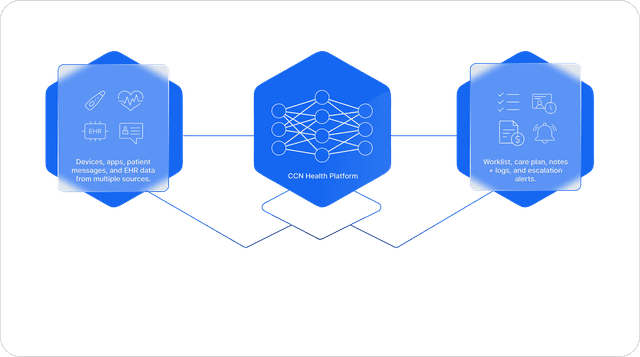
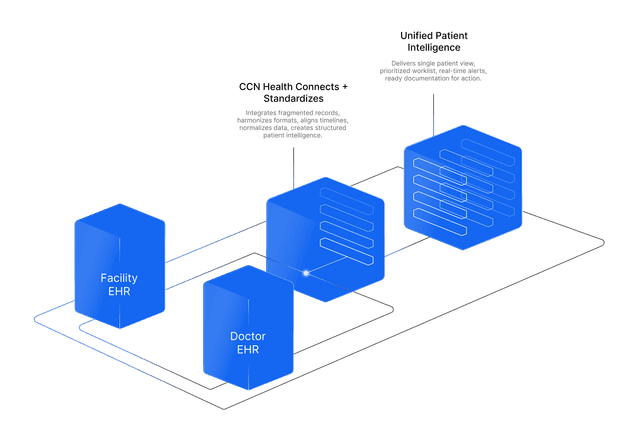
CCN reads the practice's facilities from the Charm Health API to scope every operation, then searches patients within the chosen facility (by last name for individual imports, paged through in full for bulk). Each imported patient stores their Charm Health record ID so vitals, messages, and documents all land on the correct chart from then on. The duplicate check runs against existing linked records before anything is created.
The benefit to your practice
A panel stands up in minutes instead of weeks, with demographics that are right because they came from the record, not from re-keying. And the chart link created here is what every other sync on this page depends on.
What you get
- Facility selection: CCN pulls the practice's Charm Health facilities to scope the search
- Import individually by searching Charm Health by name within the facility, then link the chart
- Or import in bulk, pulling an entire facility's patients at once, duplicate-safe
- Create the patient and enroll into RPM or CCM in one step, straight from the record