The Cardiology panel lives in Athena Health: 42 patients under Dr. Sood.
Names, dates of birth, MRNs, contacts, all already in the chart system.
 ·Patient Directory
The Cardiology panel
42 patients
in Athena Health
Patient directory · Cardiology
+ 40 more in this department
How it works
What happens
You pick an Athena Health department or sub-account in CCN Health and import the whole panel at once. Every patient is enrolled in CCN and linked to their existing Athena Health chart, and the relevant information comes with them: demographics, chronic conditions, care plan info, and consent. You can also import a single patient by searching for them.
How it works
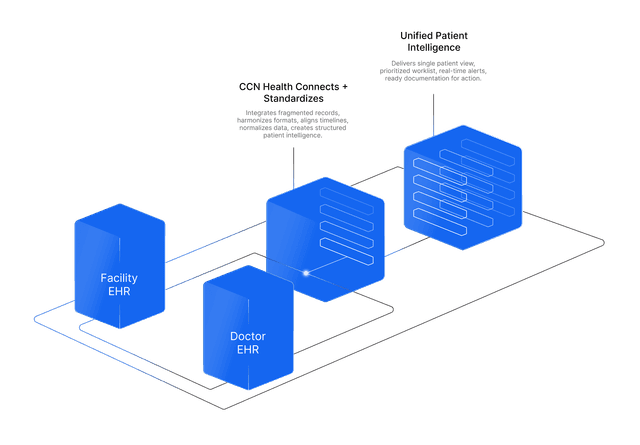
CCN Health is a certified Athena Health Marketplace app. To import, it queries the Athena directory (GET /v1/{practice}/patients, optionally filtered by department), pulls each patient's demographics along with the relevant chart information (chronic conditions, care plan info, and consent), and stores their athena_patient_id so every future reading, document, and appointment lands on the correct chart. Imports are duplicate-safe, and a per-patient department override is there for patients who file somewhere other than the account default.
The benefit to your practice
Nobody moves patients by hand. A panel that used to take weeks of data entry stands up in minutes, with no mismatched charts, and the chart link it creates is what every other sync on this page relies on. Startup time collapses.
What you get
- Bulk import a whole department or sub-account in one pass
- Or import individually by searching a patient
- Everything relevant comes across: demographics, chronic conditions, care plan info, and consent
- Duplicate-safe, with per-patient department and provider routing